How to Use eSewa for Online Payments in Nepal
This guide shows you how to set up and use eSewa in Nepal. You will learn wallet setup, KYC, load money, QR payments, and bill payment steps.

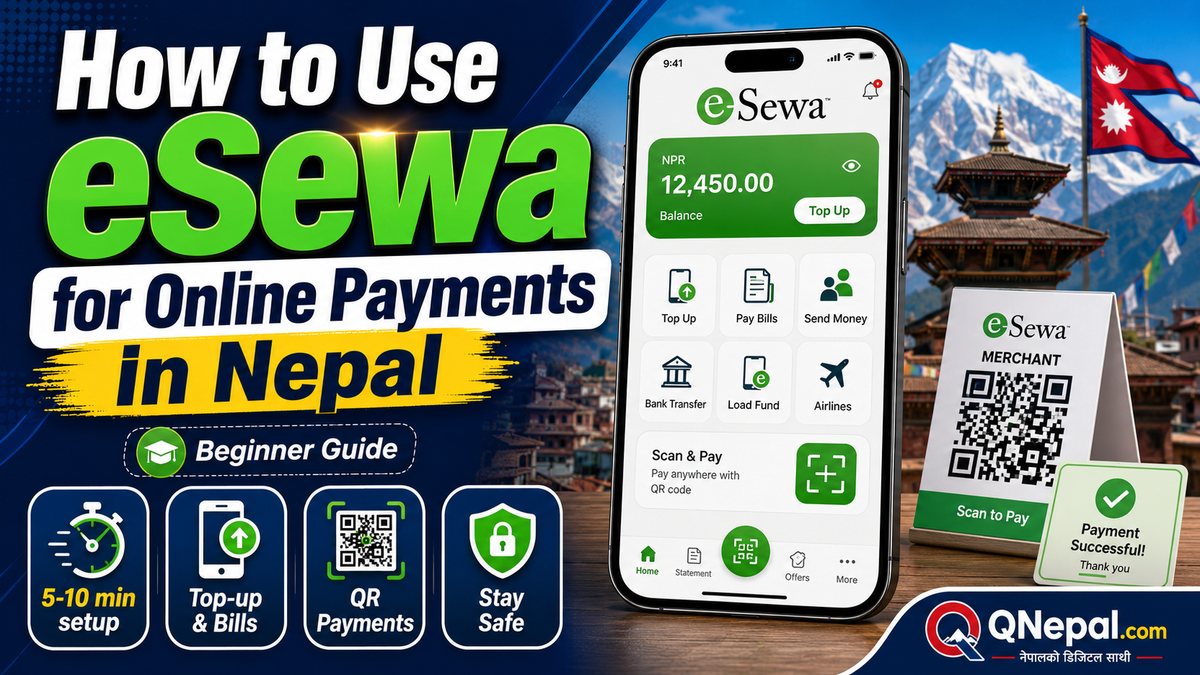
eSewa is a digital wallet in Nepal for phone top-ups, QR payments, bank transfers, and utility bills. This guide is for new users who want a clear setup path, safer payments, and fewer failed transactions.
Key Takeaways
- Account setup usually takes 5 to 10 minutes if your phone number, citizenship card, and selfie are ready.
- Mobile top-up often starts at Rs 10, and many data packs start near Rs 99, so eSewa works for small daily payments.
- Keep Rs 500 to Rs 2,000 in your wallet for routine use such as top-ups, internet bills, and food orders.
- QR payments work for both small purchases, such as Rs 50 tea, and larger store bills, such as Rs 5,000 electronics payments.
- Bill payments vary by service. A home internet bill is often Rs 800 to Rs 3,000 per month, while electricity bills change by usage.
- Use MPIN, app lock, and notification alerts on every payment. One wrong number on a Rs 1,000 transfer still means Rs 1,000 gone.
Table of Contents
- What eSewa Does
- How to Open an eSewa Account
- How to Complete KYC
- How to Add Money
- How to Make Payments
- How to Send Money
- Safety Tips
- Common Problems and Fixes
- FAQ
- Final Verdict
What eSewa Does
eSewa lets you pay from your phone without cash. You use your wallet balance or linked payment options to pay merchants, scan QR codes, top up your phone, buy data packs, pay internet bills, and send money.
For many people in Nepal, eSewa is the first payment app they use daily. You will see eSewa at grocery shops, cafés, hospitals, ticket counters, and online stores. If you use Pathao, food delivery apps, or online ticketing sites, you will often see eSewa in the payment list.
Who should use it:
- Students who want quick mobile top-ups and hostel bill payments
- Office workers who pay for rides, lunch, and internet bills
- Small business owners who accept QR payments
- Families who want one place for utility and school fee payments
How to Open an eSewa Account
You need a Nepali mobile number and a smartphone. The app is free to install.
Step 1: Install the app
- Open Google Play Store or Apple App Store
- Search for eSewa
- Check the app name and publisher details before install
- Install and open the app
Step 2: Register with your phone number
- Enter your mobile number
- Enter the OTP sent to your phone
- Create your MPIN
Your MPIN is the code you use to approve payments. Do not reuse an easy code such as 1234, 1111, or your birth year.
Step 3: Fill basic profile details
- Name
- Email, if you use one
- Address details, if asked
At this point, your account exists, but full features often need KYC.
How to Complete KYC
KYC means Know Your Customer. This step confirms your identity. A verified wallet gives smoother use and fewer account restrictions.
Keep these items ready:
- Citizenship card, passport, or other accepted ID
- A clear selfie
- Your full name as written on the ID
KYC steps
- Open the profile or verification section in the app.
- Upload your ID photos.
- Take a selfie in good light.
- Review your details for spelling errors.
- Submit and wait for approval.
If your name on the wallet and your ID do not match, approval often slows down. If your photo is blurry, upload a better one before you submit again.
A practical tip: finish KYC before your first large payment. Doing KYC after a failed or delayed payment adds stress you do not need.
How to Add Money to eSewa
You need balance before most wallet payments. There are several ways to load money.
1. Bank transfer or linked bank account
This is the cleanest option for many users. Open the add money section, choose your bank, and follow the bank login or authorization flow.
Best for:
- Monthly wallet loads such as Rs 1,000, Rs 2,000, or Rs 5,000
- Users who already use mobile banking
2. Debit or credit card
Some users prefer cards for a quick load. Enter your card details only inside the official payment page. Check for the secure payment screen before approval.
3. eSewa agent or merchant support point
In some areas, users still load money through local support points. This helps if your bank link is not ready.
4. Bank deposit route
Some users fund the wallet through bank-side options. The exact path depends on the bank you use.
What amount should you load first?
- Rs 500 if you want to test the app with top-ups and one QR payment
- Rs 1,000 to Rs 2,000 for regular weekly use
- Rs 3,000 or more if you also pay internet or utility bills from the wallet
Do not keep large idle amounts in any wallet if you do not need them there.
How to Make Payments
Pay by QR code
QR payment is the feature most people use first.
- Open the app.
- Tap scan QR.
- Point your camera at the merchant QR code.
- Check the merchant name on screen.
- Enter the amount if the amount is not prefilled.
- Review and approve with your MPIN.
Example: You buy lunch for Rs 280. Scan the QR, confirm the shop name, enter Rs 280, and approve. Wait for the success screen before you leave the counter.
Top up mobile balance
- Open the top-up section.
- Select NTC, Ncell, or another operator listed in the app.
- Enter the phone number.
- Enter the amount, for example Rs 50, Rs 100, or Rs 200.
- Confirm with MPIN.
This is one of the fastest first transactions for a new user.
Buy data packs
Data packs often start near Rs 99. Open the data or package section, select the operator, pick a pack, and pay. Always check the phone number twice.
Pay utility bills
You will usually see options such as electricity, internet, TV, drinking water, or landline services, depending on current partner support in the app.
- Select the biller.
- Enter the customer ID, reference number, or subscriber number.
- Fetch the bill, if the service supports bill fetch.
- Review the bill amount.
- Approve the payment.
Example: Your internet bill is Rs 1,500. Fetch the bill, check the account name, approve, and save the receipt screenshot.
Pay online shopping bills
On a website or app checkout page, choose eSewa as the payment option. You will move to the eSewa page or app screen for approval. Check the merchant name and amount before you enter your MPIN.
How to Send Money
eSewa also supports wallet-to-wallet and other transfer routes listed in the app. The exact options on your screen depend on your account status and available services.
- Open the send money or transfer section.
- Enter the mobile number or destination details.
- Enter the amount.
- Review the recipient name, if shown.
- Approve with MPIN.
Before you send Rs 1,000, check the number twice. A fast transfer with a wrong number is still a wrong transfer.
Good use cases:
- Paying your roommate for shared groceries
- Sending bus fare to family
- Small business payments to local suppliers
Safety Tips for Daily Use
Wallet safety is mostly about habits. Use these rules every time.
- Never share your OTP with anyone.
- Never share your MPIN, even with family.
- Lock your phone with fingerprint, face unlock, or PIN.
- Turn on payment notifications.
- Check the merchant name before every QR payment.
- Keep screenshots or receipts for larger payments such as Rs 2,000 and above.
- Use official app stores only.
- Update the app when a new version appears.
If someone calls and asks for your OTP to fix a payment issue, end the call. Real support does not need your OTP.
Common Problems and Fixes
Payment failed, but balance looks stuck
Wait a few minutes and check transaction history. Many temporary issues clear after the system refreshes. If the amount still looks wrong, contact support with the transaction ID.
OTP not received
- Check network signal
- Wait and request a fresh OTP
- Confirm your number is entered correctly
Wrong mobile number entered during top-up
Review the number before payment. Prevention matters more than recovery here.
QR scanned, merchant says no payment received
Check your success screen and transaction history. Show the transaction ID. If the screen does not show success, do not pay twice until you confirm status.
KYC rejected
Use a clearer ID image, better lighting for the selfie, and exact name spelling from your ID.
FAQ
Is eSewa free to use?
The app is free to install. Some payment routes are free, while some partner services or transfer routes carry charges.
Do I need KYC for eSewa?
For full use, KYC is the safer path. A verified wallet usually gives smoother access to services.
What is the easiest first payment for a new user?
A mobile top-up of Rs 50 or Rs 100 is the easiest first test.
Is QR payment safe?
Yes, if you verify the merchant name and keep your MPIN private.
Should I keep all my money in eSewa?
No. Keep only the amount you need for routine payments and near-term bills.
What should I do after a failed transaction?
Check history, save the transaction ID, wait a short time, and contact support if the status does not update.
Related Guides
Final Verdict
eSewa is a practical payment app for daily life in Nepal. Start with a small load, finish KYC early, and use QR and bill payments first. If you follow basic safety rules and review each payment before approval, you will avoid most common mistakes.
Author: Basanta Sapkota covers consumer tech and digital services for QNepal.