
How to Build a Website in Nepal (2026 Step-by-Step Guide)
Complete guide to building your own website in Nepal. From buying a domain to going live. No coding needed.

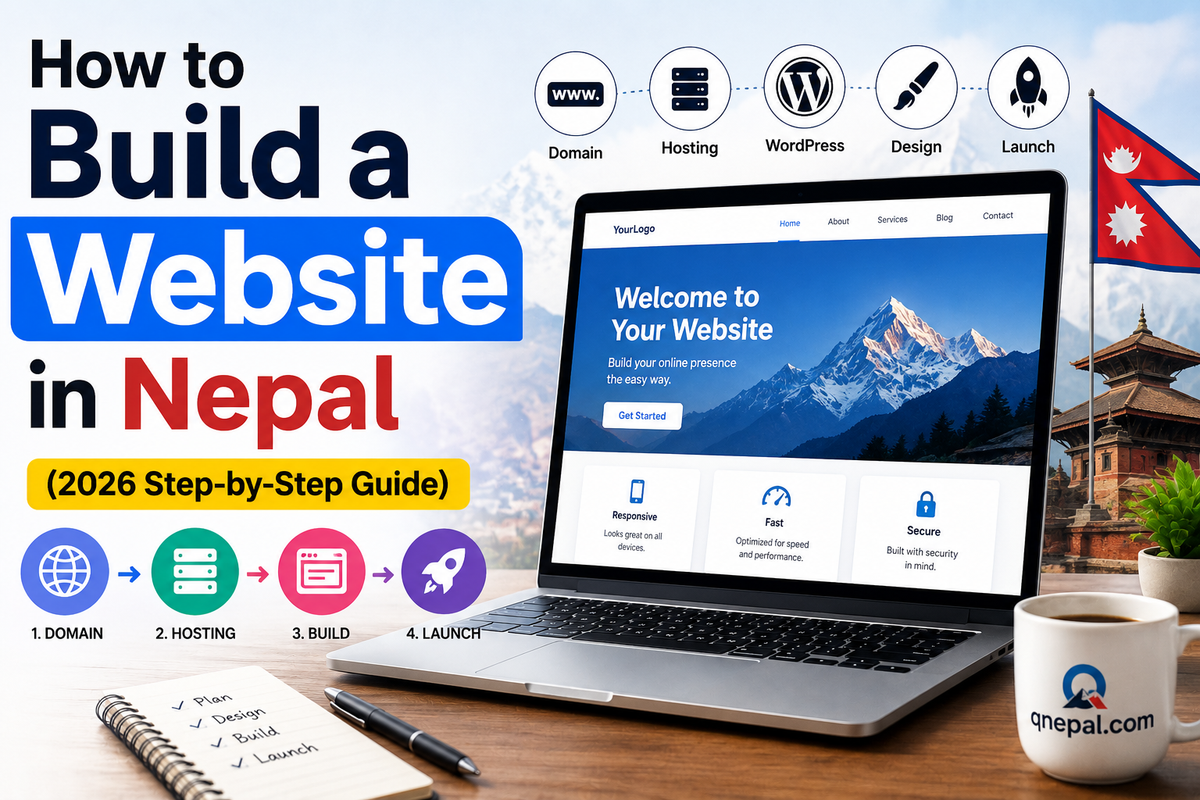
To build a website in Nepal in 2026, you need three things: a domain name (Rs. 800 to 2,500 per year), web hosting (Rs. 1,500 to 5,000 per year), and WordPress (free). Total cost starts at around Rs. 2,500 per year for a basic site.
You do not need coding skills. This guide walks you through every step with Nepal-specific options for hosting and payment.
Key Takeaways
- Total cost to start: Rs. 2,500 to 5,000 per year for a basic WordPress site
- Free .com.np domain available from Mercantile Communications
- WordPress powers 43% of all websites. Best choice for beginners.
- Hosting options: international (Hostinger, Bluehost) or Nepal-based (Babal Host, Nest Nepal)
- You can build and launch a website in 2 to 4 hours
Table of Contents
- What You Need
- Step 1: Choose and Register a Domain
- Step 2: Get Web Hosting
- Step 3: Install WordPress
- Step 4: Choose a Theme
- Step 5: Add Essential Pages
- Step 6: Install Plugins
- Step 7: Go Live
- Cost Breakdown
- FAQ
What You Need
Domain name: Your website address (like yourname.com). Costs Rs. 800 to 2,500 per year.
Web hosting: Where your website files live. Costs Rs. 1,500 to 5,000 per year.
WordPress: Website builder. Free and open source.
Time needed: 2 to 4 hours for a basic website.
Skills needed: None. If you can use email, you can build a website.
Step 1: Choose and Register a Domain Name
Your domain is your website's address. Pick something short and easy to remember.
Domain options in Nepal:
- .com: Rs. 1,500 to 2,500 per year from Namecheap, GoDaddy, or Nepali registrars
- .com.np: Free from register.com.np (Mercantile). Needs Nepali citizenship or company registration.
- .net: Rs. 1,800 to 2,500 per year from any registrar
If you target a Nepali audience, get the free .com.np domain. It adds local trust.
How to Register a Free .com.np Domain
- Go to register.com.np
- Search for your desired domain name
- Create an account (needs Nepali citizenship or company registration)
- Submit the required documents
- Domain activates in 1 to 3 days
Step 2: Get Web Hosting
Web hosting stores your website files. Think of it as renting space on the internet.
Hosting options for Nepal:
- Hostinger: Rs. 2,500 per year. Server in Singapore. Good budget option.
- Babal Host: Rs. 1,999 per year. Server in Nepal/US. Local support.
- Nest Nepal: Rs. 2,400 per year. Server in Nepal/Singapore. Nepal businesses.
- Bluehost: Rs. 3,500 per year. Server in US. WordPress recommended.
For beginners in Nepal, Hostinger or Babal Host give the best value. Pick a server location close to Nepal (Singapore or Nepal) for faster loading.
How to Buy Hosting
- Go to the hosting provider's website
- Pick the cheapest plan (usually called Single or Starter)
- Select billing cycle (1 year is cheapest per month)
- Pay via eSewa, Khalti, bank transfer, or card
- You get cPanel login details by email
Step 3: Install WordPress
WordPress is free software that runs your website. Most hosting providers offer one-click installation.
One-Click Install
- Log into your hosting cPanel
- Find WordPress or Softaculous or Auto Installer
- Click Install
- Pick your domain
- Set admin username and password
- Click Install. Done in 30 seconds.
Access your WordPress dashboard at: yourdomain.com/wp-admin
Step 4: Choose a Theme
A theme controls how your website looks. WordPress has thousands of free themes.
Recommended free themes:
- Astra: Fast, lightweight, works with any page builder
- GeneratePress: Developer-friendly, good performance
- Kadence: Modern design, solid free features
Install: WordPress Dashboard, Appearance, Themes, Add New, Search, Install, Activate.
Step 5: Add Essential Pages
Every website needs these pages:
- Home: First impression. What you do.
- About: Who you are. Your story.
- Services or Products: What you offer.
- Contact: How to reach you. Phone, email, form, map.
- Privacy Policy: Legal requirement.
Step 6: Install Essential Plugins
Plugins add features to your WordPress site. Install these:
- Yoast SEO: Search engine optimization. Free.
- WPForms: Contact forms. Free.
- UpdraftPlus: Automatic backups. Free.
- Wordfence: Security. Free.
- WP Super Cache: Speed optimization. Free.
Step 7: Go Live
Before you announce your website:
- Check all pages load correctly
- Test on your mobile phone
- Test the contact form
- Add Google Analytics (free tracking)
- Submit to Google Search Console
Total Cost Breakdown
Budget option:
- Domain (.com.np): Free
- Hosting (1 year): Rs. 1,999
- WordPress: Free
- Theme: Free
- Total: Rs. 1,999
Recommended option:
- Domain (.com.np): Free
- Hosting (1 year): Rs. 3,500
- WordPress: Free
- Premium theme: Rs. 5,000
- Total: Rs. 8,500
FAQ
How much does it cost to build a website in Nepal?
Starting from Rs. 1,999 per year for a basic WordPress site with free .com.np domain and cheap hosting. A professional site with premium theme costs Rs. 8,000 to 15,000.
Do I need coding skills?
No. WordPress has a visual editor and drag-and-drop page builders. If you can use Microsoft Word, you can build a website.
Can I build an ecommerce website?
Yes. WordPress with WooCommerce (free) creates an online store. You integrate eSewa and Khalti for payments in Nepal.
How long does it take?
A basic website goes live in 2 to 4 hours. A polished site with custom design takes 1 to 2 weeks.
Is WordPress better than Wix or Squarespace?
For Nepal, yes. WordPress is free, has more features, and you own your data. Wix and Squarespace charge monthly fees and give you less control.
Final Recommendation
Start with WordPress, a free theme, and cheap hosting. You upgrade later. The important thing is to get online first.
Choose a domain name today and register it at register.com.np. It is free and takes 5 minutes.
Written by Basanta Sapkota, founder of QNepal. This guide is based on helping 50 plus Nepali businesses get online.