
Nepal’s Phishing Scam Surge Is Hitting Bank and Wallet Users: How to Protect Your Money
As phishing scams spread across SMS, WhatsApp and fake verification links, Nepali users need clearer advice than ‘be careful’. This guide explains what the scams look like, why they work and what to do immediately if you click.

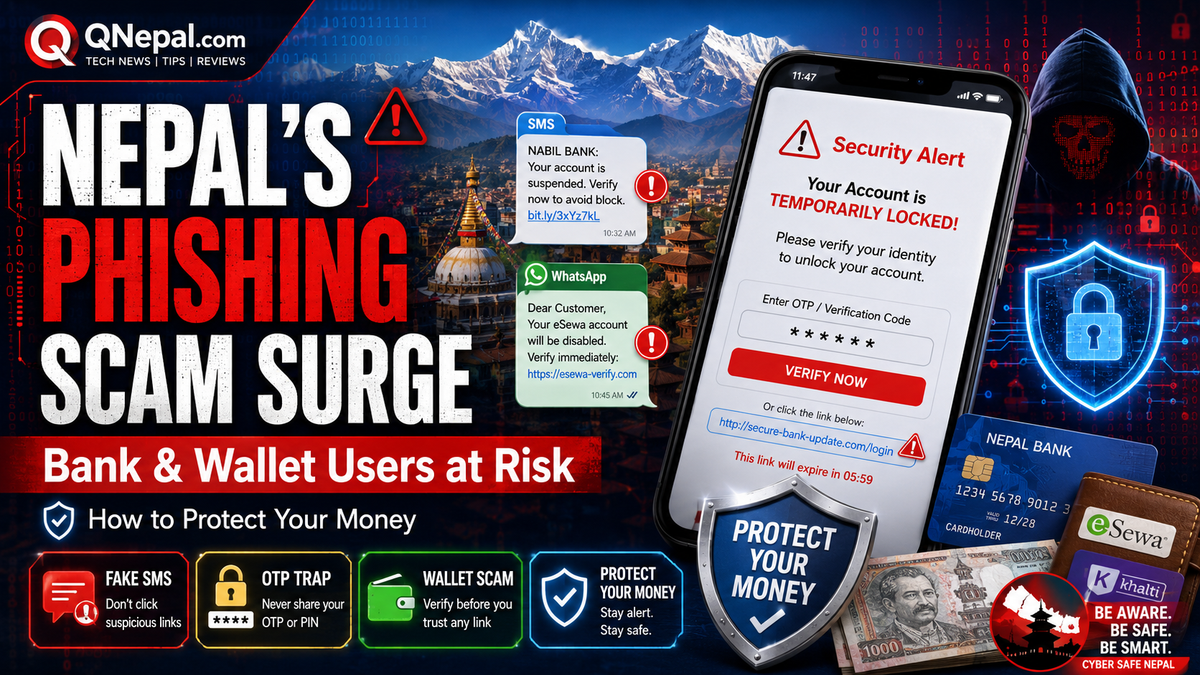
Phishing scams are becoming one of the most important consumer-tech risks in Nepal, especially for people who use digital wallets, mobile banking, ConnectIPS, and online payment links without thinking twice. Recent warnings from Nepal Police’s Cyber Bureau and fresh cyber-fraud data show the problem is no longer limited to a few isolated victims. It is now a mainstream digital-safety issue.
For QNepal readers, this is more important than another routine phone launch because the people at risk are not just traders or advanced users. They include students, families, small-business owners, freelancers, and anyone who uses eSewa, Khalti, bank apps, QR payments, or account alerts on a daily basis.
Why this matters now
In April 2026, data cited by Khabarhub said 18,326 people across Nepal had fallen victim to cyber fraud in fiscal year 2081/82 BS. The reported figures pointed to digital platforms, social media, and payment gateways as major channels used by criminals. Facebook was identified as a major platform, while digital wallets such as eSewa and Khalti were also named among frequently exploited mediums.
Separately, The Kathmandu Post reported that Nepal Police’s Cyber Bureau had warned of a surge in phishing campaigns targeting bank accounts, ConnectIPS users, and digital-wallet customers. The bureau said attackers were sending fake alerts designed to create panic, push people into clicking links, and steal credentials, OTPs, or direct access to their devices.
This is exactly the kind of gap QNepal should fill: not just reporting that scams exist, but explaining how they work in Nepal and what users should actually do.
What these scams usually look like in Nepal
According to Cyber Bureau reporting covered by The Kathmandu Post, scammers have been using messages that look official and urgent. Some pretend to be security alerts from financial services. Others mimic support messages from payment platforms or banking systems.
Common patterns include:
- Fake account-lock warnings: messages claiming your account will be suspended in a few hours unless you verify it immediately.
- Fake ConnectIPS or banking alerts: messages saying linked accounts were frozen for security reasons and asking you to complete “self verification”.
- Wallet OTP traps: messages or calls that push you to reveal a one-time password, MPIN, or verification code.
- Malicious app downloads: links to Android APK files or desktop EXE files disguised as loan tools, trading apps, security software, or account-verification utilities.
- Remote-control scams: users are asked to install software like AnyDesk or similar tools, after which attackers watch the screen, steal passwords, and operate the victim’s accounts in real time.
In Nepal, these scams are especially dangerous because people are already used to receiving real SMS alerts from banks, wallets, telecom services, and payment platforms. That makes fake messages feel believable.
Why Nepali users fall for them
These scams work because they combine urgency, trust, and confusion:
- Urgency: “Your account will be blocked in 6 hours” pushes people to react before thinking.
- Familiar brands: if a message mentions eSewa, Khalti, ConnectIPS, or a known bank, people assume it is real.
- Mobile-first habits: many users in Nepal do most payments on phones, where it is harder to inspect a suspicious URL carefully.
- Low reporting confidence: victims often feel embarrassed or do not know where to report quickly.
- Language mix: scams may use English, Nepali, or mixed wording that feels similar to official alerts.
Red flags you should treat as danger signs
If any of the following happens, assume risk first and verify separately:
- A text asks you to click a shortened link to stop account suspension.
- A caller asks for your OTP, MPIN, CVV, PIN, password, or screen-sharing access.
- You are told to install an APK or EXE file to “secure” your wallet or bank account.
- A message pressures you to act immediately instead of checking inside the official app.
- The message comes from an unfamiliar number, strange shortcode, or badly written support text.
- A support person asks you to move to WhatsApp or Telegram to solve a bank or wallet problem.
As the Cyber Bureau has emphasized, legitimate services do not ask users to share OTPs this way.
How to protect your eSewa, Khalti, ConnectIPS and bank accounts
1. Never use the link inside a panic message
If you receive a security alert, do not tap the message link. Open the official app yourself, or type the official website manually in your browser.
2. Treat OTP like cash
Your OTP is not a support code. It is transaction access. If you share it, you may effectively approve the attacker’s login or payment.
3. Do not install APK files sent over SMS or chat
For most ordinary users in Nepal, there is almost never a valid reason to install a financial or security app from an SMS link. Use the Google Play Store or Apple App Store only.
4. Do not give remote access to your phone or laptop
If someone tells you to install AnyDesk, TeamViewer, or another remote-access tool for “verification”, stop immediately. This is one of the fastest ways to lose control of your accounts.
5. Turn on every security layer your app offers
Use device lock, app lock, biometric lock, transaction PIN, and email alerts where available. A scam attempt is less likely to succeed if it meets multiple barriers.
6. Keep small balances in wallets when possible
If you use a wallet mainly for daily payments, keeping only the amount you need can limit damage if an account is compromised.
7. Separate your main bank account from high-risk online activity
Consider using a secondary bank account or wallet balance for online transactions rather than exposing your primary savings account to every payment flow.
8. Teach family members the warning signs
In Nepal, one compromised phone in a household can affect the whole family. Parents, students, and older relatives should all know that no real support agent needs their OTP.
What to do immediately if you already clicked or shared something
- Disconnect fast: turn off mobile data or Wi-Fi if you installed a suspicious file or gave remote access.
- Change passwords and MPINs immediately from a separate safe device if possible.
- Contact your bank, wallet provider, or payment platform at once and ask them to block transactions or freeze access if needed.
- Check recent transactions and take screenshots of anything suspicious.
- Report the case to Nepal Police’s Cyber Bureau through the official reporting process or nearest police office.
- Uninstall suspicious apps, but preserve evidence such as links, screenshots, numbers, and messages before wiping your device.
How to report in Nepal
Nepal Police’s Cyber Bureau provides complaint forms and reporting guidance through its official portal. The bureau says users can submit complaints through the proper form, attach screenshots and URLs, and report through district police offices, the bureau office, or the official cybercrime email process when needed.
If the incident involves money, do not wait for “proof”. Report early, because the first hours matter most when trying to stop further transfers.
Why this is bigger than individual carelessness
Nepal’s digital economy is expanding faster than user safety habits. More people now rely on QR payments, wallet transfers, online shopping, app-based banking, and remote account recovery. That is good for convenience, but it also creates a larger attack surface.
This means the phishing problem is not just about users being careless. It is also about platform design, SMS-channel security, telecom verification, public awareness, and faster response systems when fraud happens.
For Nepal’s fintech growth to remain healthy, trust must stay intact. If ordinary people begin to feel that digital payments are too risky, the damage will hit adoption, ecommerce, and financial inclusion as well.
QNepal’s practical takeaway
If you remember only three things, remember these: do not tap panic links, never share OTPs, and never install remote-access or APK files from messages. Those three habits alone can stop a large share of the phishing attacks now spreading in Nepal.
This story deserves priority because it closes a real editorial gap. QNepal already has coverage on digital payments and national cybersecurity issues, but readers also need a practical Nepal-specific safety guide for the scams they are most likely to face on their own phones.
Sources used for this article include reporting by The Kathmandu Post on Cyber Bureau phishing warnings, April 2026 cyber-fraud figures reported by Khabarhub based on Nepal Police Cyber Bureau data, and the official Nepal Police Cyber Bureau reporting portal.